
Product

Product

Product

Customer support automation meets human judgement

Learn how our Ask a Human feature lets your AI agent collaborate with live agents on cases that require human judgement, cutting handling time and improving CSAT in the process.

Photo of Neal Lathia

Emma Martin

·

Nov 26, 2025

Blog cover image

At Gradient Labs, we’re automating customer support for some of the world’s most innovative banks and fintechs.

But sometimes, there are moments within a conversation that still might benefit from human judgement. Think: approving large refunds.

So we asked ourselves, what if our AI agent could tap a human expert in these moments, without giving up the benefit of automation?

Now, with Ask a Human, you can. With this new feature, our AI agent can collaborate with your human agents behind the scenes, while maintaining the conversation with your customer.
How it works

In a traditional hand-off, the customer waits in a queue and the human agent needs to catch up on everything that has happened in the conversation so far. With Ask a Human, the customer can continue chatting with the AI agent while they wait for their issue to be resolved.

And, the issue is resolved faster, because the human agent gets a summarised view of the information they need, rather than needing to catch up on the entire conversation.

  1. Instruct the AI agent to ask a human

    You specify which procedures should use the Ask a Human tool. When it reaches a step which calls for the tool, the AI agent creates a task in the Gradient Tasks dashboard and sends an alert into a configured Slack channel, so the right team sees it quickly.


  2. Human agents are notified to complete the task

    The task contains full context: the conversation so far, any uploaded documents, and a clear description of what needs to be done.


  3. A human agent completes the action, while the AI agent continues the chat

    The reviewer does the work in your existing systems, records the outcome in the task, and submits a short structured response back to the AI. In the meantime, unlike in a traditional hand-off, the AI agent can continue chatting with the customer.


  4. Our AI agent receives the response and resolves the conversation

    The agent picks up the result, updates its internal state, and replies to the customer. There is no separate handoff, no second thread, and no need for the customer to repeat information.

When to ask a human

Action: Disputing a large transaction

Imagine you have a policy which requires a human to review any transaction dispute over 1,000 dollars.

First, your procedure instructs the agent to gather details from the customer. The agent verifies the account, confirms the transaction name and amount, and asks the customer why they believe the charge is incorrect.

The transaction in question is 2,000 pounds, so as instructed, it calls the ask a human tool to pass the dispute to a human agent.

The agent summarises the information it has already collected so the human agent can resolve the issue more quickly, without needing to review the entire conversation history.

Meanwhile, the agent tells the customer that a colleague is reviewing the request and continues chatting with the customer while they wait for their colleagues approval.

Once the human approves the dispute, the agent receives it, updates the customer, and resolves the case.

Information: Creating a quote

Now let’s look at an example where a human agent is needed to provide information, such as preparing a custom insurance quote that requires human discretion on the final price or level of discount.

When a customer calls for the quote, the agent first asks them all for all of the required details the human agent will need to build the quote.

Once the agent has collected everything it needs, it lets the customer know they’ve passed their details off to a member of their specialist team. The agent offers to answer any other questions about the policy while they wait.

The human agent receives a clear summary of the details, builds the quote, and sends the result back to the AI agent.

The AI agent shares the quote with the customer and handles the rest of the procedure over the phone.

You don’t have to choose between automation and CX

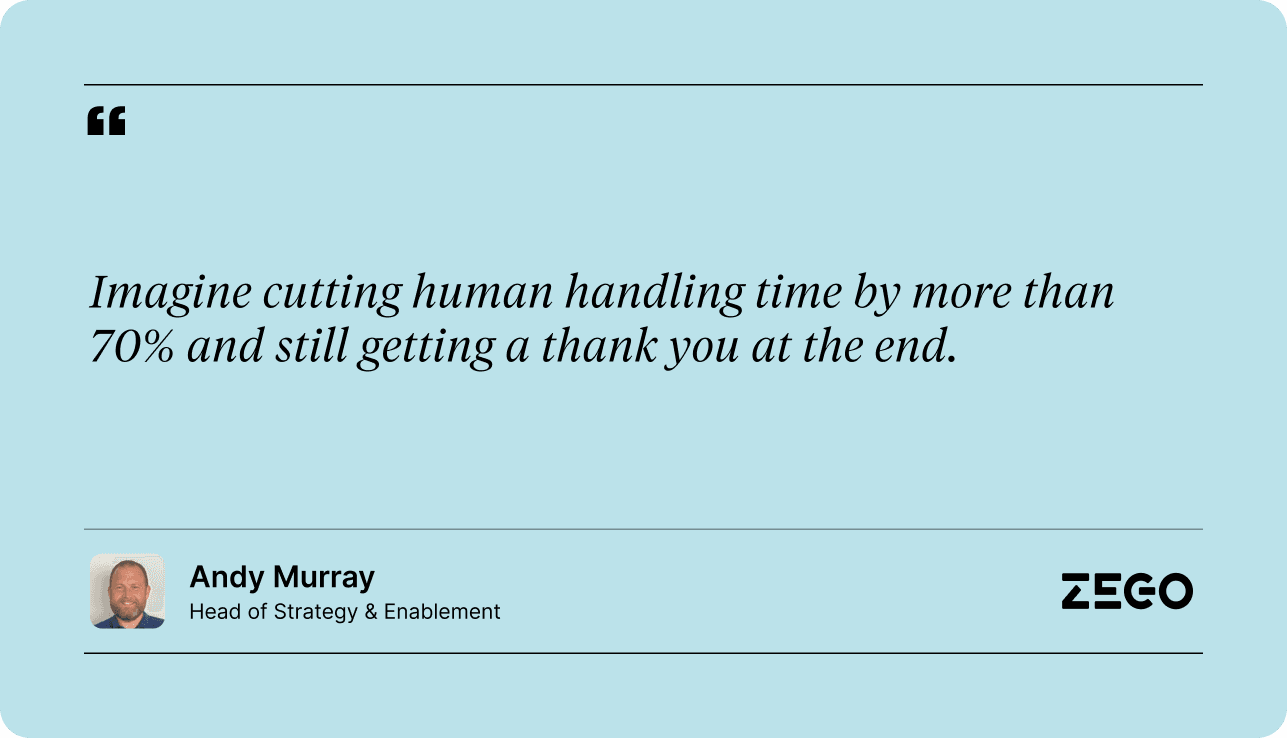
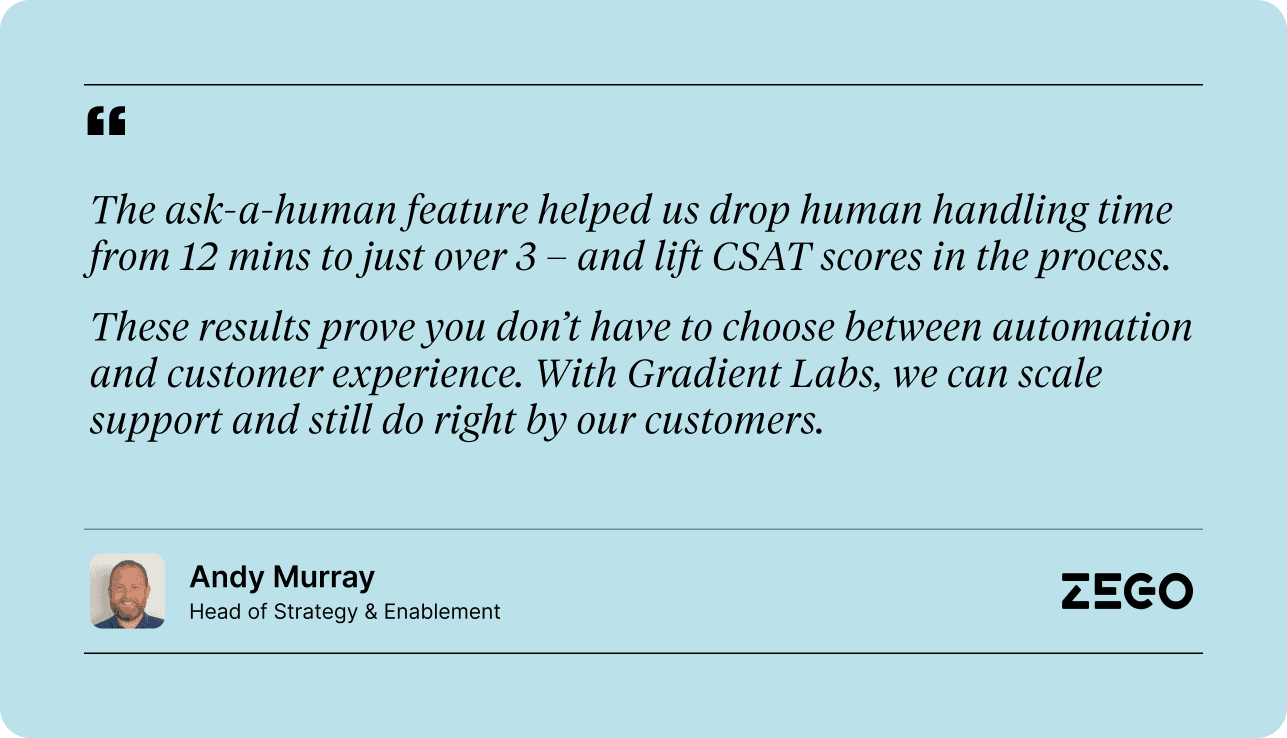
Our customer Zego, a UK-based insurance company with almost 150,000 active customers, has been using Ask a Human to reduce handling time and improve customer experience.
A bridge to higher resolution without engineering effort

Ask a Human can also be used to demonstrate the value of a particular use case before looping in engineering to build new APIs or tools.

Since new APIs require engineering time, and most teams already have long queues, requests can sit in the backlog for months.

Ask a Human helps you move sooner. Whenever a step requires a yet-to-be-built API, the system routes that step to a human reviewer. The human performs the task, returns the result, and the agent continues the conversation with the customer.

Ops gets a working version of the use case today, customers get a smoother experience, and your team can validate the value so engineering can prioritise it effectively.

Robot meets human

Ask a Human brings human judgement into automated conversations without slowing the customer down. It helps your team handle complex work, test new ideas sooner, and move toward deeper automation with less friction.

We’re really excited about this feature and hope you are too, If you’d like to test out ask a human, book time with us here.
At Gradient Labs, we’re automating customer support for some of the world’s most innovative banks and fintechs.

But sometimes, there are moments within a conversation that still might benefit from human judgement. Think: approving large refunds.

So we asked ourselves, what if our AI agent could tap a human expert in these moments, without giving up the benefit of automation?

Now, with Ask a Human, you can. With this new feature, our AI agent can collaborate with your human agents behind the scenes, while maintaining the conversation with your customer.

How it works

In a traditional hand-off, the customer waits in a queue and the human agent needs to catch up on everything that has happened in the conversation so far. With Ask a Human, the customer can continue chatting with the AI agent while they wait for their issue to be resolved.

And, the issue is resolved faster, because the human agent gets a summarised view of the information they need, rather than needing to catch up on the entire conversation.

  1. Instruct the AI agent to ask a human

    You specify which procedures should use the Ask a Human tool. When it reaches a step which calls for the tool, the AI agent creates a task in the Gradient Tasks dashboard and sends an alert into a configured Slack channel, so the right team sees it quickly.


  2. Human agents are notified to complete the task

    The task contains full context: the conversation so far, any uploaded documents, and a clear description of what needs to be done.


  3. A human agent completes the action, while the AI agent continues the chat

    The reviewer does the work in your existing systems, records the outcome in the task, and submits a short structured response back to the AI. In the meantime, unlike in a traditional hand-off, the AI agent can continue chatting with the customer.


  4. Our AI agent receives the response and resolves the conversation

    The agent picks up the result, updates its internal state, and replies to the customer. There is no separate handoff, no second thread, and no need for the customer to repeat information.

When to ask a human

Action: Disputing a large transaction

Imagine you have a policy which requires a human to review any transaction dispute over 1,000 dollars.

First, your procedure instructs the agent to gather details from the customer. The agent verifies the account, confirms the transaction name and amount, and asks the customer why they believe the charge is incorrect.

The transaction in question is 2,000 pounds, so as instructed, it calls the ask a human tool to pass the dispute to a human agent.

The agent summarises the information it has already collected so the human agent can resolve the issue more quickly, without needing to review the entire conversation history.

Meanwhile, the agent tells the customer that a colleague is reviewing the request and continues chatting with the customer while they wait for their colleagues approval.

Once the human approves the dispute, the agent receives it, updates the customer, and resolves the case.

Information: Creating a quote

Now let’s look at an example where a human agent is needed to provide information, such as preparing a custom insurance quote that requires human discretion on the final price or level of discount.

When a customer calls for the quote, the agent first asks them all for all of the required details the human agent will need to build the quote.

Once the agent has collected everything it needs, it lets the customer know they’ve passed their details off to a member of their specialist team. The agent offers to answer any other questions about the policy while they wait.

The human agent receives a clear summary of the details, builds the quote, and sends the result back to the AI agent.

The AI agent shares the quote with the customer and handles the rest of the procedure over the phone.

You don’t have to choose between automation and CX

Our customer Zego, a UK-based insurance company with almost 150,000 active customers, has been using Ask a Human to reduce handling time and improve customer experience.

A bridge to higher resolution without engineering effort

Ask a Human can also be used to demonstrate the value of a particular use case before looping in engineering to build new APIs or tools.

Since new APIs require engineering time, and most teams already have long queues, requests can sit in the backlog for months.

Ask a Human helps you move sooner. Whenever a step requires a yet-to-be-built API, the system routes that step to a human reviewer. The human performs the task, returns the result, and the agent continues the conversation with the customer.

Ops gets a working version of the use case today, customers get a smoother experience, and your team can validate the value so engineering can prioritise it effectively.

Robot meets human

Ask a Human brings human judgement into automated conversations without slowing the customer down. It helps your team handle complex work, test new ideas sooner, and move toward deeper automation with less friction.

We’re really excited about this feature and hope you are too, If you’d like to test out ask a human, book time with us here.

Share post

Copy post link

Link copied

Copy post link

Link copied

Copy post link

Link copied

Ready to automate more?

Meet the only AI customer service built for Finance

Ready to automate more?

Meet the only AI customer service built for Finance

Ready to automate more?

Meet the only AI customer service built for Finance